
Zedge™ Wallpapers & Ringtones
ZedgePersonalization
4.7952.26K Reviews
- Version
- 9.40.1
- Installs
- 500.00M
- Age Rating
- Teen
Screenshots
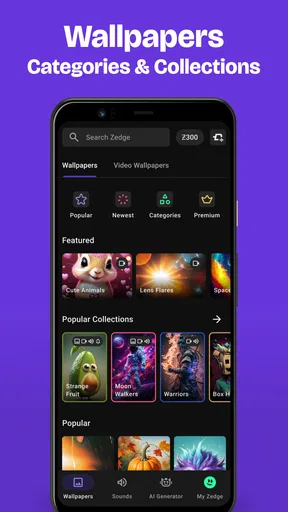
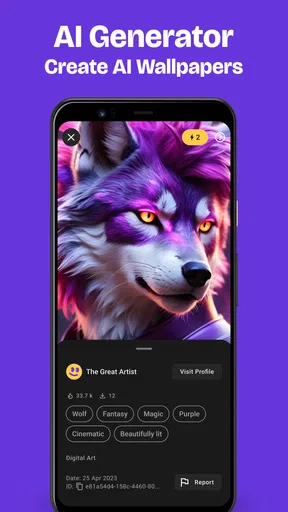
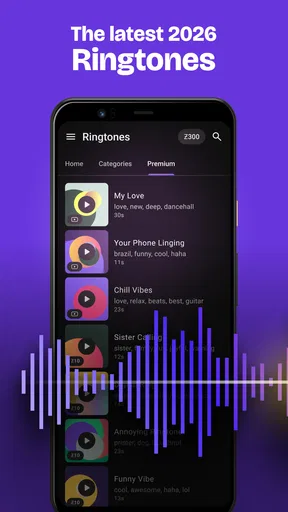
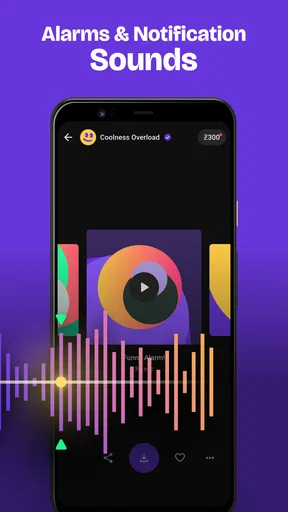
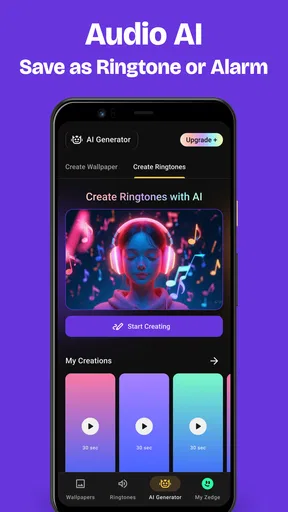
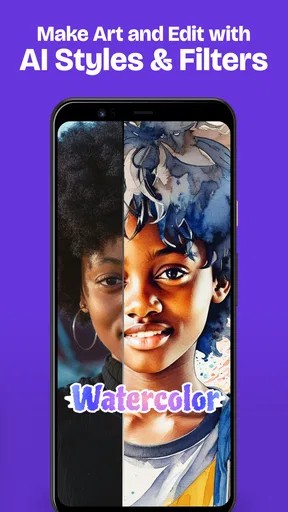
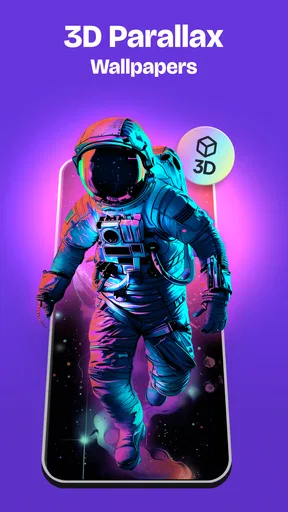
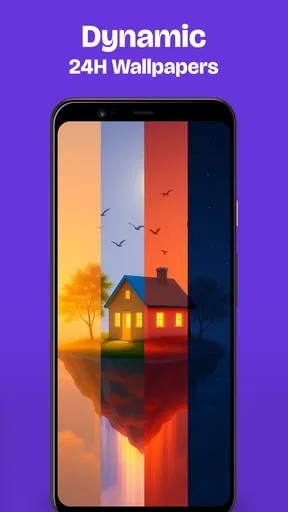
Our Review of Zedge™ Wallpapers & Ringtones
 Analysis by Appyee
I think about phone personalization in small, everyday moments: noticing the same lock screen for months, or hearing a default notification sound in a quiet room and wishing it were easier to identify. That is the kind of modest problem Zedge™ Wallpapers & Ringtones is built to solve. It gives me one place to browse visual and audio options, rather than switching between a wallpaper search and whatever sounds came with the phone.
A large catalog is useful when you know how to browse it
Choice is the app’s main strength, but a huge catalog can also become its own kind of clutter. I get better results when I start with a clear idea—say, a calm landscape rather than simply “something new”—then preview a few candidates instead of saving everything that catches my eye. That small habit makes the selection feel more personal and leaves me with fewer items to sort through later.
The app is a personalization product from Zedge, and its focus on wallpapers and ringtones makes it different from changing only the built-in themes or choosing from a small set of sounds already on a phone. I would turn to the system’s own options if I wanted a clean, predictable setup with minimal browsing. Zedge makes more sense when I want to explore styles, compare alternatives, or give separate parts of my phone a little character.
Trust starts with choices I can see
Personalization can feel intimate because a background is visible whenever I pick up my phone and a ringtone may be heard by people nearby. I prefer to make those choices deliberately: preview an item, decide whether it suits the screen or sound I have in mind, and only then apply it. That is a practical way to keep customization under my control, rather than treating every appealing preview as an automatic yes.
I also separate the decision to personalize from broader questions about privacy. I would check the app’s current permission prompts and privacy information on my device before deciding what access I am comfortable granting. Those screens are the right place to make an informed choice; I would not assume that an app’s purpose alone tells me what it requests or how information is handled.
Everyday uses, and when I would choose something else
A useful routine might be changing a seasonal lock screen while keeping a familiar home-screen background, then choosing a ringtone that is easy to recognize without being startling. Previewing first matters here: a sound that seems amusing through a phone speaker may be distracting in a meeting, while a highly detailed image may make icons harder to pick out. I treat the wallpaper and sound as practical parts of the phone, not just decoration.
Zedge is a good fit if you enjoy browsing and want more variety than the default selection offers. It is less compelling if you rarely change your setup, dislike catalog-style discovery, or want a strictly minimal phone with no extra customization app. In those cases, built-in wallpaper and sound controls may be quicker and easier to maintain.
Customization Galore
First off, the sheer variety on Zedge™ is mind-blowing. Whether you're a fan of minimalist designs, vibrant patterns, or quirky themes, there's something for everyone. The app boasts an extensive library of wallpapers and ringtones, ensuring that your phone never looks or sounds boring again.
But it’s not just about quantity; the quality is impressive too. The wallpapers are high-resolution, making them pop on any screen, and the ringtones are crisp and clear. Plus, with categories ranging from nature and space to abstract art and funny sounds, it’s easy to find something that matches your vibe.
User-Friendly Experience
One of the things I appreciate most about Zedge is its user-friendly interface. Even if you’re not the most tech-savvy person around, navigating this app is a breeze. It’s straightforward to search, preview, and save your favorite items. And trust me, with so much choice, you’ll definitely have a lot of favorites!
The app also offers a personalized experience. Once you start using it, Zedge gives recommendations based on your preferences, making it easier to discover new and exciting content. It’s like having a personal curator for your phone’s aesthetics.
Free vs. Premium
Now, let’s talk about the free vs. premium options. The free version is pretty generous, giving you access to a wide range of wallpapers and ringtones. However, if you’re someone who wants to explore the full potential of the app, the premium version offers an ad-free experience, exclusive content, and premium credits.
If you’re like me and hate being interrupted by ads, the premium version might be worth considering. Plus, supporting the app developers is always a good thing, especially when they’re providing such awesome content.
Cost, compatibility, and a careful verdict
The app is free to install, though it includes optional in-app purchases priced from about fifty cents to four hundred dollars per item. That is a broad range, so I would check the price attached to a specific purchase rather than assuming every extra costs the same. The app carries a Teen content rating, and version 9.4.1 requires Android 9 or later; it has a 4.7 average from around 17 million ratings and more than 500 million installs.
Those figures suggest that this is a widely used option, but popularity does not tell me whether its browsing style suits me. I would approach the purchase prompts with the same care I use for any app: decide what I actually want, read the displayed terms, and avoid buying credits simply because they are offered while I am browsing. The free starting point is enough to see whether the catalog and workflow appeal to me.
One small but useful habit is to save a short list of genuine contenders before applying anything. I can compare how a wallpaper looks behind icons and how a sound feels at an ordinary volume, then make one change at a time. If the result feels too busy or loud, it is easy to return to a simpler choice. This is more deliberate than changing several things in one burst and later forgetting which choice caused the annoyance.
Use previews to make customization work in real life
For a weekday morning, I might look for a subdued lock-screen image that lets the clock stay readable, then choose a ringtone I can distinguish from other sounds without drawing attention in a shared space. On a weekend, I might try a more colorful background or a playful tone. Thinking about where and when I use the phone helps me choose content that remains pleasant after the novelty wears off.
There is also a useful distinction between personalization for me and personalization for people around me. A loud or comic ringtone may be fun when testing it alone but awkward on public transport or at work. I would preview it, consider the places I take calls, and check the phone’s own sound settings before settling on it. The app can help me find a sound; it cannot decide whether that sound fits the moment.
For wallpaper, I would judge an image not only by its thumbnail but by how it works as a background. A detailed picture may look striking in the catalog yet compete with app icons or make text harder to spot. A simpler image can be the better daily choice even when a more elaborate one initially grabs my attention. Keeping separate candidates for the lock screen and home screen can also help avoid making both views feel visually crowded.
Discovery has trade-offs
Recommendations can save time once I have browsed enough to establish a taste, but they may also narrow what I see toward familiar styles. If I feel that happening, I would search with a different descriptive idea rather than relying only on suggested items. That gives me a chance to find something outside my usual preferences without turning the whole session into aimless scrolling.
The alternative is not always another app. The phone’s built-in choices are often the better route for someone who wants a fast change, a restrained selection, or fewer decisions. A general image search may be more suitable for someone who already has a particular picture in mind, while Zedge is more appealing when browsing its mix of visual and audio personalization is part of the fun. The trade-off is straightforward: more discovery can mean more time spent choosing.
I would also avoid treating saved favorites as a permanent collection that needs to grow. A handful of options I genuinely like is easier to revisit than a long queue of near-duplicates. When I am testing a new look, I can keep the change temporary in spirit: try it for a few days, notice whether it remains readable and comfortable, and switch back if it becomes distracting.
What to consider before making it part of your routine
If you are wondering whether you need an account to browse, whether a particular permission is required, or how personal information is handled, I would check the current in-app prompts and the developer’s privacy information before proceeding. These details can affect a person’s decision, and I would rather rely on the actual choices and explanations shown to me than guess from the app’s personalization features. If a request does not make sense for what I am trying to do, I would pause and review it instead of accepting automatically.
The same caution applies to applying a selection. I would read the on-screen options carefully and use the phone’s own controls to confirm which screen or sound I am changing. This is especially helpful when I want to preserve a familiar ringtone while refreshing only the wallpaper. Taking a moment to check the target prevents an appealing new choice from disrupting a setup that already works.
For someone who enjoys tuning a phone’s look and sound, the app offers a convenient place to explore, preview, and narrow down ideas. For someone who wants a fixed, quiet setup and avoids browsing or optional purchases, the built-in controls are likely enough. I see the best approach as using Zedge when I have a specific reason to refresh something, not as a task I need to keep doing.
Final Thoughts
All in all, Zedge™ Wallpapers & Ringtones is a must-have app for anyone looking to spice up their phone’s appearance and sound. It’s user-friendly, packed with options, and offers something for every taste. So, whether you’re on a customization spree or just need a fresh look for your phone, give Zedge a try. You might just find your new favorite wallpaper or ringtone!
Ready to jazz up your phone? Check out Zedge and let your creativity run wild!
Privacy and Permissions
See what permissions an app requests and how it handles your data.
- Contacts
- read your contacts, modify your contacts
- Photos/Media/Files
- read the contents of your USB storage, modify or delete the contents of your USB storage
- Storage
- read the contents of your USB storage, modify or delete the contents of your USB storage
- Camera
- take pictures and videos
- Wi-Fi connection information
- view Wi-Fi connections
- Other
- view network connections, full network access, run at startup, set wallpaper, draw over other apps, use accounts on the device, control vibration, prevent device from sleeping, modify system settings, install shortcuts, Google Play license check
Verdict
Strengths of Zedge™ Wallpapers & Ringtones
- Extensive library of wallpapers and ringtones.
- User-friendly interface for easy navigation.
- Regular updates with fresh content.
- High-quality media files for download.
- Customizable features for personalization.
Limitations of Zedge™ Wallpapers & Ringtones
- Contains ads that can be intrusive.
- Premium content requires in-app purchases.
- May consume significant storage space.
- Limited search functionality at times.
- Notifications can be frequent and distracting.
Similar Picks in This Category
View All
Microsoft SwiftKey AI Keyboard
SwiftKey4.3

Wallpapers
Google LLC4.1

Yandex Browser with Alice AI
Direct Cursus Computer Systems Trading LLC4.3

Ringtone Maker:create ringtone
Big Bang Inc.4.7

Fonts Keyboard
Fonts Keyboard3.9

Neon Love Theme
Delicate theme for Android App4.6
You May Also Like
View All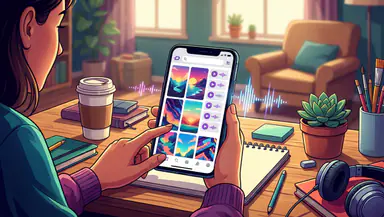


Frequently Asked Questions
What is Zedge™ Wallpapers & Ringtones?
Zedge™ is a popular app that offers a vast collection of free wallpapers, ringtones, notification sounds, and more. It allows users to personalize their Android and iOS devices with a wide range of options, ensuring a unique and customized experience. The app is user-friendly and frequently updated with new content.
Is Zedge™ free to use?
Yes, Zedge™ is free to download and use. While the app offers a large amount of free content, it also includes premium options that require in-app purchases. These premium features provide access to exclusive content and an ad-free experience, offering more customization for users who choose to upgrade.
How do I download wallpapers and ringtones from Zedge™?
To download content from Zedge™, simply browse through the app's categories or use the search function to find what you need. Once you find a wallpaper or ringtone you like, tap on it, and you'll see a download option. Follow the prompts to save it to your device and set it as your wallpaper or ringtone.
Is Zedge™ safe to use on my device?
Zedge™ is generally considered safe to use, as it is a well-established app with millions of users worldwide. However, like any app, it's important to download it from a trusted source, such as the Google Play Store or Apple App Store, to ensure you're getting the official version without any malware or unwanted software.
Can I upload my own content to Zedge™?
Yes, Zedge™ allows users to upload their own wallpapers and ringtones to share with the community. You will need to create an account and follow the app's guidelines for content submission. This feature provides a platform for creators to showcase their work and gain exposure among Zedge™'s vast user base.
